The Abuse of Copyright Strikes on YouTube

(Image Credit: https://goo.gl/images/tK38s7)

Copyright law has always been an issue on YouTube. It is mainly a result of YouTube and Google’s fear that a copyrighted piece of content will end up on YouTube and they will end up with the consequences, so YouTube has decide to push all of the consequences off to the creators. This has made fair use very important. If you don’t know what fair use is the U.S. Copyright Office defines it as “a legal doctrine that promotes freedom of expression by permitting the unlicensed use of copyright-protected works in certain circumstances.” Which basically means that you are allowed to use a peice of content for “criticism, comment, news reporting, teaching, scholarship, and research.” This is where YouTube’s copyright strike system comes in. Youtube’s copyright strike system allows a content owner to strike a video for copyright and YouTube will instantly flag the video. There is no chance for a response from the video owner. This has cause many issues, most recently the recent copyright strike of YouTube Creator Kyle Hansen also known as Bitwit. The video in question is “LYLE REACTS TO THE VERGE’S PC BUILD VIDEO”. The video features Kyle’s character called Lyle reacting to The Verge’s PC build guide. The Verge’s build, originally uploaded, September 13th, 2018, has many mistakes, and was removed from YouTube by The Verge. This resulted in many reaction videos, but after about a couple weeks it died down. This was until February 12th, 2019 when Vox Media, Inc, The Verge’s parent company, sent a strike to Kyle’s channel. This resulted many videos about YouTube’s copyright policy. With the end being when The Verge’s editor-in-chief Nilay Patel requested a retraction of the strike. (Nilay’s response: http://bit.ly/2CaZAAJ) My opinion is that Vox was wrong to not concider this fair use. While Bitwit’s video is not perfect, it is a reaction to a piece of content which is covered under fair use. While The Verge was wrong and it need to be talked about, no one at The Verge deserved to recieve death threats. People make mistakes, we should make sure that they know that it was a mistake and then move on. We should spend years talking about some small mistakes.
AT&T’s Fake 5G


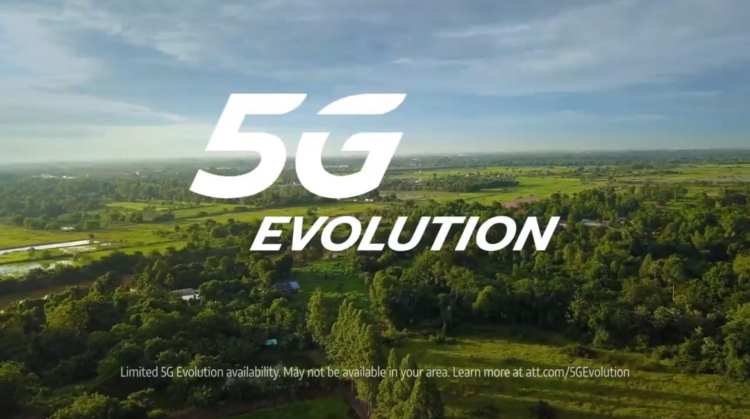
Image Credit: Screenshot from one of AT&T’s “just ok is not ok” commercials

You may have recently seen one of AT&T’s “just ok is not ok” commercial. This is a recent ad campaign focused on AT&T’s recent announcement of AT&T 5G Evolution or 5Ge. Now, before you run out and buy a brand new phone, so you can take advantage of all the advancements this is not 5G. This is a relabeled LTE Advanced. Basically what AT&T is doing is using their control over some phone software and adding a 5G logo when every you are connected to LTE Advanced. This is not the first time AT&T has done this before. (http://bit.ly/2BZh0Ac) When 4G was coming out, AT&T labeled 3G service as 4G on the iPhone 4. This has made many people very confused. Prompting many articles, YouTube video, tweets, and even legal actions. One of the first from YouTube creator Austin Evans showing how the speeds are not 5G. (https://youtu.be/ik15HVNzJVg) T-Mobile’s twitter account also wanted to join in on the 5Ge fun (@TMobile). T-Mobile sent out and continued to send out many tweets about AT&T’s fake 5G. The first, of many, was in reply to a tweet from The Verge (@verge) about AT&T’s fake 5G. This tweet showed a person placing a 9G sticker over the LTE logo on an iPhone X with the caption “didn’t realize it was this easy, brb updating” (https://twitter.com/tmobile/status/1082379986051358720?s=21). T-Mobile was not the only carrier that reacted to 5Ge, Sprint decided to take a different path and is now suing AT&T for false advertising. (http://bit.ly/2Cb0qO5) AT&T has taken some action by changing their “just ok is not ok” ad campaign. AT&T has now added “now with 5G Evolution, the first step to 5G” to the end of the commercials, but has not stopped their 5Ge badge on phones. AT&T is using the power they have over phones and it needs to stop.

Update your iPhone to iOS 12.1.4 NOW!

Many people have been very scared by the recently Group FaceTime bug. This bug allowed to listen and watch anyone with Group FaceTime without them picking up the phone. This made many people very stressed out, prompting many people to turn off FaceTime, until on February 1st when Apple turned off Group FaceTime. This was not a permanent solution, but worked fine until today, February 7th, when Apple release iOS 12.1.4. This bug was a huge security breach, so I would recommend updating all of your devices and to encourage anyone else to.

Why is every company making a streaming service?

Image Credit: https://goo.gl/images/ekYaby

If you are following the news you may have noticed that a lot of companies are trying to release streaming services. It is mostly because companies like Apple, Disney, and AT&T. see how much people are watching their content on Netflix and Hulu, but they want more of that money, so they are trying to lock down their content to move to their new streaming services. A great example of this is the TV show Friends.  Netflix is currently battling WarnerMedia and it’s parent company AT&T for the ability to have Friends on Netflix. AT&T would rather have Friends for their upcoming streaming service as a way to bring people to the service.  Instead of Netflix and Hulu which we’re built up on streaming shows and movies that they didn’t create and then adding originals like Bird Box and The Handmaid’s Tale. 2019 is going to be a very interesting year for TV and will bring a new age of streaming services.

My Smart Home

Below is a list of all the smart home devices I use and a what I think about them.

Smart Assistant: Amazon Alexa
We chose Amazon Alexa to control our smart home, because it is easy to manage and we are in the Amazon ecosystem more than the Google ecosystem. We mainly have Echo Dots, but also have one Echo and one Echo Show.

Cameras: Ring Video Doorbell Pro, Wyze Cam (v2) and Wyze Cam Pan

We chose the Ring Video Doorbell about two years ago, mainly because it was one of the only smart doorbells on the market at the time.

We chose the Wyze Cam (v2) and the Wyze Cam Pan mainly for their price and the features you get for that price.

Smart Lights: Phillips Hue

We don’t have the whole house on Phillips Hue, but we have it in some of the rooms. We chose it because of its integration with Amazon Alexa and Apple HomeKit.

Smart Thermostat: Nest Smart Thermostat (Generation 3)

We chose the Nest Smart Thermoset for its easy connection and compatibility with Amazon Alexa.

Smoke/CO alarms: Nest Protects

The Nest Protects are awesome with one of the main reasons we have multipule is the ability to link them together so if one of them goes off they all go off.

Entertainment Controller: Logitech Harmony Hub:

The Harmony Hub is great for anyone who has a crazy entertainment set up and the ability to control it with Amazon Alexa makes it a great addition to any entertainment setup.


If you have any questions about why I chose the products or any specific questions about features, please ask them in the comments below.


CES 2019: The Year of Smart Assistants

Image Credit: https://goo.gl/images/9EPTnk

This year at CES we saw a crazy influx of smart devices. Everything from wall mounted screens hidden behind a piece of wood to a $7000 smart toilet from Kohler, that, according to a press release, promises a “fully-immersive experience”.  Smart devices are not new and companies like Phillips and LIFX have been creating them for a while, but this year was different we saw IOT (Internet of Things) devices everywhere. The interesting thing about all of these devices is which assistant they featured. Many devices featured both Amazon Alexa and Google Assistant, and this was one of the goals of Amazon and Google of their smart assistants. They wanted to make it as easy as possible for IOT companies to integrate their assistant in to their product and in some cases they have succeed. More and more smart devices are being used, and they are getting easier to use. I am very excited for the future of technology.

Apple at CES 2018

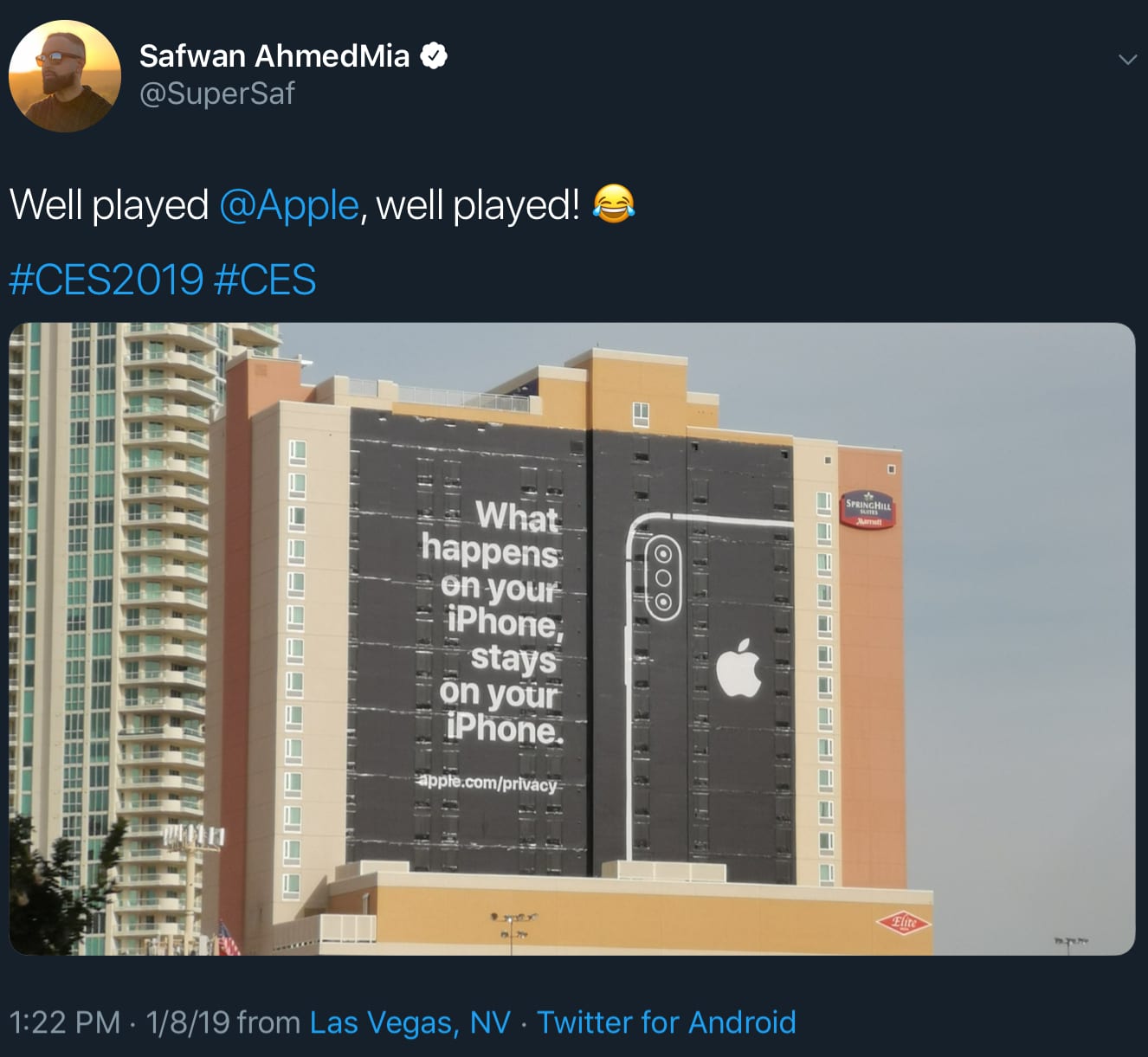
In previous years Apple has not had a huge presence at the Consumer Electronics Show or CES, but this year was different. It started off with a very large advertisement on the side of the Spring Hill Suite, pointing right at the bulk of CES, that says “What happens on your iPhone, stays on your iPhone” and with a link to apple.com/privacy. This is a very interesting move for Apple since most of the devices at CES this year are smart home devices and privacy is one of the main things that Apple is very adamant about protecting. This caught the attention of many people attending CES, prompting many of them to post about it on social media. Many thought that this was going to be the last we would be hearing from Apple, but this was not the case. Apple have always had a focus on their ecosystem. They always have tried to lock you in to Apple products as much as possible, but this time was different. Apple has allowed Sony, Vizio, and LG to integrate HomeKit, Apple’s smart home standard, and AirPlay 2, the standard that allows Apple devices to share their screen on a TV. Apple has also allowed Samsung to use AirPlay, but not HomeKit. Instead of HomeKit, Samsung has the iTunes app on their Tizen OS. This is awesome because most people don’t want to spend money on a new TV and then have to spend a $150 for an Apple TV. Hopefully Apple adds more features and expands their AirPlay 2 compatibile devices.

Safewan AhmedMia, also know as SuperSaf, tweeted about Apple’s giant ad.

Credit: https://twitter.com/SuperSaf/status/1082704178466631681?s=20

Cord Cutting: What Streaming Device Should You Pick?

Many people have decide to cut the cord, and end their cable or satellite subscription. This starting to become more popular as services like Netflix and Hulu start to increase their range of content and live TV streaming services like DirecTV Now, Youtube TV and Sling TV become easier to use and cheaper. This leaves many people wonder what streaming device to pick from. This is a tough decision and comes down to many factors.  Today I will be comparing some of the streaming devices I have tried out which include: Apple TV (4th Generation), Chromecast (2nd Generation), Fire TV Stick (2nd Generation), ASUS Chromebit and Intel Compute Stick (2nd Generation. Below is a table comparing the following services accessible on the streaming device. I will be comparing Hulu, Netflix, YouTube, Amazon Prime Video, Spotify, Movies Anywhere, and an option for screen sharing. This is a decision that changes based on your entertainment, so I will be focusing on showing what they can do, instead of what my choices are, but if you would like to see my choices they are below.

Note: The Apple TV can only play Spotify through AirPlay, which requires a secondary device (iPhone, iPad, Mac) to be connected.

Note: The Fire TV does not have a official Youtube app, but Youtube can be watched via the Silk Web Browser.

My Choices

All Around

My pick for the best all around streaming device is the Amazon Fire TV. The Fire TV can access all of the services I tested, has Alexa connectivity and is under $50. I have used the Fire TV for about six months now and I’ve never had a problem.

Value Option

My pick for the value option is the Google Chromecast. The Chromecast is the cheapest at $35. It’s great if you share the TV or want to set it up for a guest because it doesn’t require a log in on the Chromecast. I also enjoyed the ability to cast from Google Chrome or my Chromebook.

Non Value Option

My pick for the non value option is the Apple TV. You can tell that the Apple TV is an Apple product. The Apple TV is the only streaming device that you can watch iTunes movies on and use AirPlay, but I don’t think that is worth the $149 starting price.

Others

The Chromebit and Intel Compute Stick are definitely a different style. They are both mini computers running Chrome OS and Windows 10 respectively and they are different. These are great if you have an abnormal selection of entertainment sites or want to watch other content like home movies.

The end of Techtober

This is a recap of the crazy month of October and all of the technology that has been released.

-October 3rd – LG Event – LG V40 announced

-October 3rd – Microsoft Event – Microsoft Surface Pro 6, Surface Laptop 2, Surface Studio 2, and Surface Headphones announced.

– October 9th – Google Event – Google Pixel 3, Pixel 3x, Google Home Hub, Pixel Slate, and Chromecast (3rd Generation) released.

-October 9th – RED Hydrogen One – Pre-Orders start shipping

-October 15th – Anki Vector – Anki Vector released

-October 18th – ASUS ROG Phone – ASUS ROG Phone released

-October 18th – LG V40 – LG V40 released

-October 22nd – Razer Phone 2 – Razer Phone 2 released

-October 25th – Palm Phone – Palm Phone announced

-October 26th – iPhone XR – iPhone XR starts shipping

-October 30th – Apple Mac and iPad Event – Apple releases the Macbook Air, Mac Mini, and iPad Pro

-November 2nd – Palm Phone – Palm Phone released exclusively on Verizon

-November 6th – OnePlus 6T – OnePlus 6T released

-November 7th – Samsung Event – Samsung shows off the first prototype of there new foldable phone.

-November 8th – Facebook Portal – Facebook Portal released

Leave a comment of what you want me to cover next.

The Battle for Educational Devices

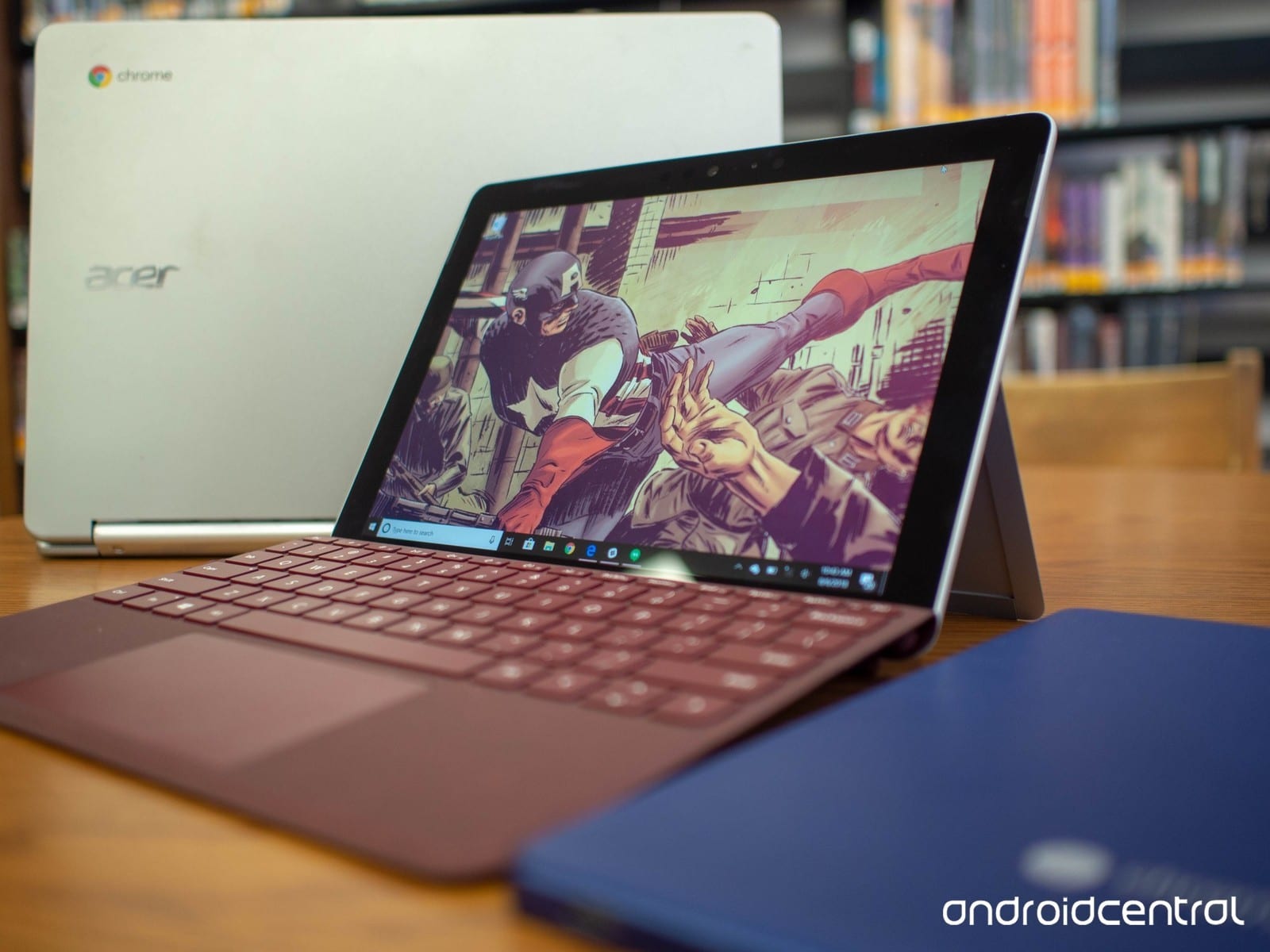
If you have been following tech news this year. You would have noticed that Apple, Google, and Microsoft are all trying to make devices cheaper and more friendly. They are all competing for the education space. School systems will pay thousands of dollars for devices, charging carts, accessories and software. So all these companies want to release devices that both teachers and students are happy to use. Google and Microsoft’s approach is very different from Apple. Unlike other companies, Apple makes both the software (iOS) and the hardware (iPads, iPhones, etc). This means that Apple can finetune there software, because they know exactly what devices they run on. Microsoft and Google are different, while they do make first party devices, they also let their software on other devices. Google has been slowly taking over the education space with Chrome OS. Chrome OS is a lightweight easy to use operating system based on the Google Chrome web browser. This means that it easily links with other Google services like Google Docs, Sheets, Slides, Drive, Classroom. Schools have been choosing Chrome OS devices because not only are they easy to use, but are a good price. Once Apple and Microsoft saw how they we’re taking over the space, they instantly moved to start creating devices and software to help them take over this large market. Apple moved to realize a new iPad. iPads have been a part of the education market, but once Chromebooks came along they slowly we’re edged out because of the’re price and lack of compatibility with some softwares. Apple wanted to fix this, so they released a new iPad for $320USD. This means that it was about the price of a mid-range Chromebook. Then Microsoft wanted to start taking over the space, so they started with software. Microsoft released Windows 10S. A version of Windows 10 that only allows apps from the Windows Store. This is supposed to compete with ChromeOS, but in my opinion it seems rushed. In my experience the Windows Store doesn’t really have the best apps and most of the time the developer just makes a better version that you can download off their website. Even the Skype app, which Microsoft owns, is bad from the Windows Store. This leave a difficult decision for what device to buy for students. Many schools have been choosing Chromebooks and I agree with that choose. They are easy to use, have easy to use admin features, and have great intergration with Google Classroom. Since technology is different for everyone, I want to hear your opinion. Below are two StrawPolls, please choose which device you would pick for yourself and which you would pick to provide for the school.

Loading poll…Image Credit:

https://goo.gl/images/d8Kp6a